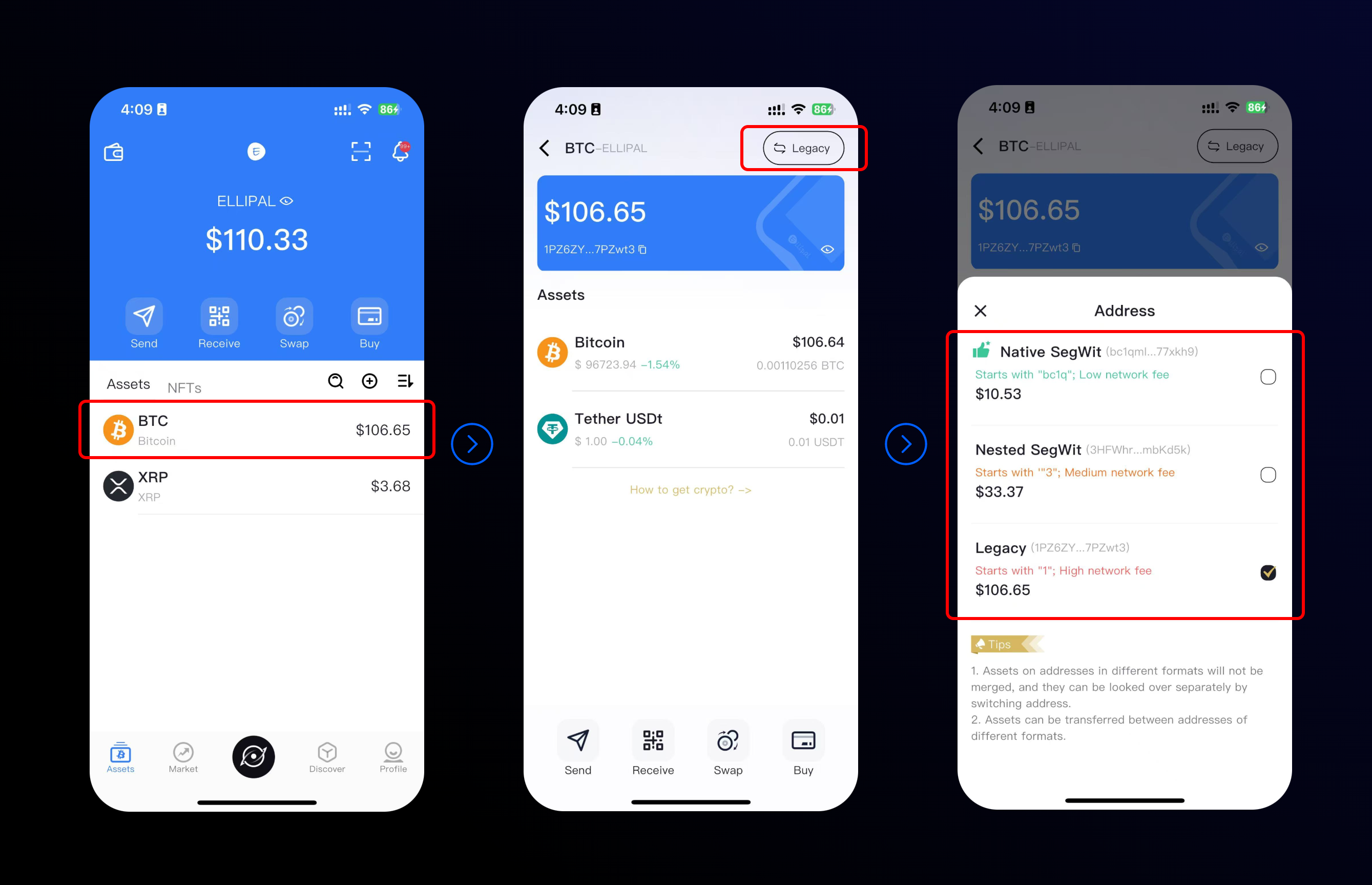
After the app update, the home screen shows total assets across all addresses for BTC/XRP.
Inside the BTC/XRP account page, it displays only the current address type's balance.
To view others:
- Go to the BTC/XRP account interface.
- Tap the switch icon (upper-right corner) to change the address type.
This lets you check correct balances easily.
Was this article helpful?
That’s Great!
Thank you for your feedback
Sorry! We couldn't be helpful
Thank you for your feedback
Feedback sent
We appreciate your effort and will try to fix the article